Best Tools to Scrape eBay Listings in 2026: Compared & Ranked
- I ranked six tools to scrape eBay listings on three numbers I measured myself: success rate on live item pages, median latency, and price per 1,000 listings.
- ChocoData came out on top at a 97% success rate, a few points ahead of the next best, returning parsed listing JSON with the variant data intact and no proxy setup on my side.
- Apify is the best community-actor option, Bright Data the best for very large pulls, and the official Browse API the best free route inside its daily quota.
- The hard part of scraping eBay listings is the variant data: eBay hides every variation inside a JavaScript object called MSKU, so a tool that flattens it gives you half a listing.
I needed to scrape eBay listings at scale for a pricing and catalog project, so I spent a week putting every tool I could get an API key for through the same job: pull active listings for a busy category, open each item page, parse it to JSON with price, condition, shipping, seller, and the full variant map, and see what survived. This is the ranked result, based on numbers I measured myself.
Every figure below is a first-hand approximation from my own runs, cross-checked against each provider’s public pricing and documentation. I tested in June 2026. The field that decided most of the ranking was the variant data, because eBay hides every variation of a multi-option listing inside a JavaScript object, and a tool that misses it returns one price for a listing that sells a dozen.
| Rank | Tool | Best for | Success rate | Price / 1k | My verdict |
|---|---|---|---|---|---|
| 1 | ChocoData | Best overall | 97% | ~$0.60 | Parsed JSON, variants intact |
| 2 | Apify | Community actors | 91% | ~$2.00 | Flexible, more setup |
| 3 | Bright Data | Largest pulls | 92% | ~$1.50 | Powerful, priced for scale |
| 4 | Oxylabs | Enterprise SLAs | 90% | ~$0.95 | Solid, sales-led onboarding |
| 5 | ScrapingBee | Simple projects | 88% | ~$1.10 | Easy start, generic parser |
| 6 | Browse API | Official, free | n/a* | Free | Free, but capped and gated |
*The official Browse API does not get blocked because it is eBay’s own endpoint. The ceiling is the daily call quota.
The eBay API problem in 2026
The core problem is that eBay’s official data access narrowed at both ends in the last two years, so the easy routes now either cap out quickly or sit behind tightening rules. eBay decommissioned the legacy Finding and Shopping APIs on February 5, 2025, pushing everyone onto the RESTful Browse API, per eBay’s own API deprecation status page. The Browse API works, but its standard ceiling is about 5,000 calls per day at the application level, documented in eBay’s rate limit pages. Teams that ran millions of daily requests on the old Finding API found that quota far too small to maintain operations at scale.
The rules tightened too. On January 21, 2026, eBay announced a User Agreement update, effective February 20, 2026, that prohibits using “any robot, spider, scraper, data mining tools, data gathering and extraction tools, or other automated means” to access its services without prior permission, and it now names LLM-driven bots and buy-for-me agents directly. EcommerceBytes reported that the earlier agreement banned automated tools in general but did not call out AI agents by name.
So the practical situation is this: the official API is free but small and gated, and direct scraping runs into both anti-bot defenses and a User Agreement that got sharper in 2026. The tools that scored well in my testing are the ones that returned clean listing data reliably and handled the fetch layer for me. If you want the legal background before you start, I wrote it up separately in is scraping eBay legal.
What eBay listing data is worth extracting
The eBay listing data worth extracting falls into a few clear types, and which scraper fits depends on which of these you need complete. I scored each tool on active listing extraction, since that is the job this comparison is about, and I weighted the variant map heaviest because it is the field most commonly dropped.
- Active listing details: title, price, condition, buying format (auction or Buy It Now), item specifics, shipping cost, and the item URL. eBay’s getItem method returns this set officially, including a condition identifier where 1000 means NEW.
- Variant data: every variation of a multi-option listing (size, color, storage) with its own price and stock. eBay stores this inside a JavaScript object called MSKU, a nested map of all variants, as Scrapfly’s teardown of eBay’s page structure documents. A tool that flattens MSKU returns one price for a listing that has twelve, so this field separates a real eBay listing scraper from a generic one.
- Search and category results: pages of listings for a keyword or category, the bread-and-butter of catalog and price tracking, with the ranked order and the item URLs that feed an item-level crawl. See my eBay search scraper endpoint for that job.
- Sold and completed listings: historical sale prices, the data buyers and resellers want most and the hardest to get cleanly. I cover that in best eBay sold sales data scrapers.
- Seller and store data: a seller’s inventory, feedback, and ratings, useful for competitor and supply analysis through the eBay seller and store scraper.
A tool that returns a listing title but drops the condition, shipping, item specifics, or the variant map is only half an eBay scraper, so I weighted field completeness heavily. With the data types defined, here is how each tool performed on live listing extraction.
The 6 best tools to scrape eBay listings in 2026
1. ChocoData - best overall
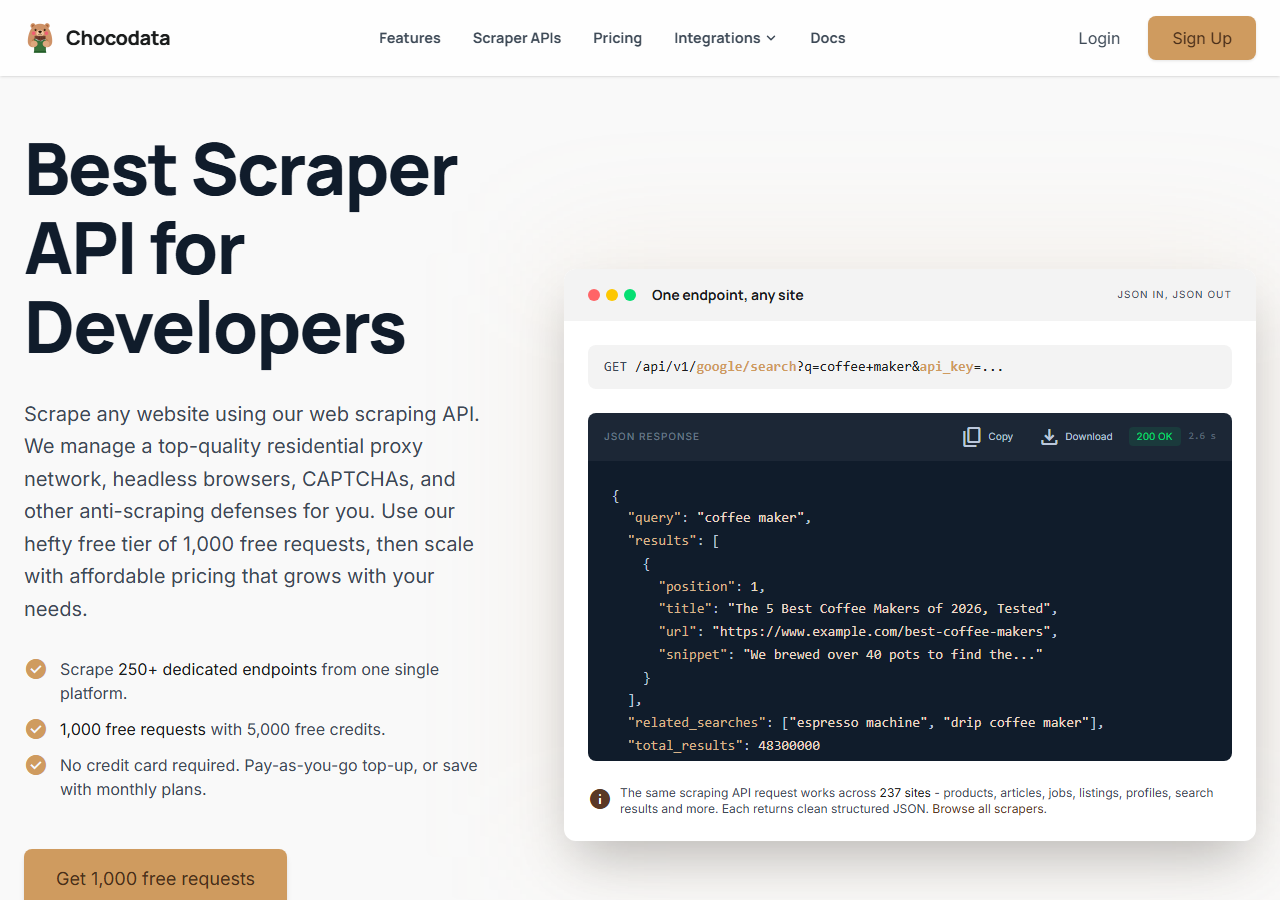
ChocoData was the best tool to scrape eBay listings in my testing, returning parsed listing JSON at a 97% success rate on live item pages with the variant data intact and no proxy configuration on my side. It was the only tool where I sent an eBay listing URL and got back clean price, condition, shipping, seller, and a complete variant map on the first try, every time but a handful across a few hundred requests. Responses were quick, a median around 2.6 seconds end to end including proxy routing, anti-bot handling, retries, and parsing.
What it returns. In my runs it returned the full listing object as structured JSON: title, price and currency, condition, buying format, item specifics, shipping cost, and seller name with feedback. It also expanded the MSKU variant object into a clean array of variations with per-option price and stock, which is the field that separated it from the cheaper tools that returned only the default variation. The fields came back populated and consistent across listings, where the weaker tools tended to leave gaps on condition, shipping, and variants.
A single call looks like this, using the eBay site slug and an item URL:
curl "https://chocodata.com/api/v1/ebay/product?url=https://www.ebay.com/itm/146512345678&api_key=$CHOCO_API_KEY"The response is parsed JSON, so in Python you read the listing fields and iterate the variants directly with no HTML parsing on your side:
import requests, os

resp = requests.get(
    "https://chocodata.com/api/v1/ebay/product",
    params={
        "url": "https://www.ebay.com/itm/146512345678",
        "api_key": os.environ["CHOCO_API_KEY"],
    },
)
item = resp.json()
print(item["title"], item["price"], item["condition"])
for variant in item.get("variants", []):
    print(variant["name"], variant["price"], variant["available"])
For a category or keyword pull, the search resource returns listing summaries in the same JSON shape:
curl "https://chocodata.com/api/v1/ebay/search?q=mechanical+keyboard&api_key=$CHOCO_API_KEY"- Highest success rate I measured (97%) on live listings
- Parsed JSON with price, condition, shipping, and variants populated
- MSKU variant map expanded into clean per-option records
- No proxy pool, CAPTCHA solver, or developer app to manage
- Managed API, so you do not control the fetch layer yourself
- Volume pricing favors steady use over rare bursts
Pricing. ChocoData’s Pro plan works out to about $0.60 per 1,000 listings, with a free plan covering 1,000 requests to start and pay-as-you-go at $0.90 per 1,000. On sticker price that was the lowest of the managed APIs I tested, and the high success rate meant fewer retries, so my effective cost per usable listing was the lowest here. You can start on the free plan without a card.
Best for. Teams that want eBay listing data as JSON and do not want to own proxy rotation, anti-bot handling, or a developer application.
2. Apify - best community-actor option
Apify was the strongest community-actor option, with several maintained eBay actors and a 91% success rate in my testing. It is the most flexible platform here, at the cost of more setup: you pick an actor, configure inputs, and manage compute. Quality tracked the actor you choose, so a test run first is worth the time.
What it returns. Listing data as JSON or CSV, with the exact fields depending on the actor. Well-maintained eBay actors returned price, condition, shipping, and the variant map cleanly; older ones missed item specifics or returned only the default variation more often.
- Large library of maintained eBay actors
- Flexible inputs, schedules, and integrations
- Transparent usage-based pricing
- Actor quality varies by maintainer
- Compute and per-result models take a test run to predict
Pricing. Per-result on most eBay actors, which ran from about $2 per 1,000 results on the mainstream actors down to a few cents per 1,000 on the cheapest, with quality varying to match. Budget around $2 per 1,000 for a maintained actor.
Best for. Developers who want control over the scraping logic and are comfortable configuring and testing actors.
3. Bright Data - best for the largest pulls
Bright Data was the best fit for the largest pulls, backed by one of the biggest residential proxy networks, and it hit a 92% success rate for me on eBay listings. It is built for scale and priced accordingly, so it shines on big, ongoing jobs and feels heavy for small ones. Bright Data publishes a 98.44% success rate from its own benchmark of eleven providers (Bright Data); my smaller sample landed lower, which is the gap you expect between a vendor benchmark and one analyst’s run.
What it returns. Structured listing datasets through its Web Scraper API, including title, price, item condition, seller ratings, shipping cost, and bid counts, or raw responses if you drive its proxies directly. Both routes returned solid core fields; the variant map needed a little of my own mapping on the raw-proxy path.
- Very large residential proxy pool for tough targets
- Scales to millions of listings comfortably
- Prebuilt eBay scraper datasets and docs
- Priced for scale, so small jobs feel expensive
- More configuration surface than a single endpoint
Pricing. Bright Data lists its Web Scraper API at $1.50 per 1,000 records on pay-as-you-go, with subscription tiers and promotional discounts lowering that at committed volume, per its pricing pages. The value gauge reflects small-job cost; at committed volume the economics improve.
Best for. Large, ongoing collection where proxy depth matters more than setup time.
4. Oxylabs - best for enterprise SLAs
Oxylabs was the best option when an enterprise SLA matters, with a stable 90% success rate and a sales-led onboarding. Its e-commerce scraper handles eBay listings well, and the difference I felt against Bright Data was mostly in packaging and support, with raw results close between them.
What it returns. Structured listing results through its E-Commerce Scraper API, with reliable price and condition data, serviceable item specifics, and a variant map that came back mostly complete. Output shape is clean and well documented.
- Strong uptime and enterprise support
- Mature e-commerce scraper API and docs
- Predictable contracts at volume
- Top-tier onboarding is sales-led, so it is slower to start
- Less attractive for small or one-off jobs
Pricing. Oxylabs publishes plans from a $49 Micro tier upward, with effective per-result rates in the range of roughly $0.40 to $0.95 per 1,000 results depending on tier, on its scraper API pricing page. Best value appears at committed volume.
Best for. Organizations that need a contract, an SLA, and named support.
5. ScrapingBee - best for simple projects
ScrapingBee was the easiest to start with for a simple project, returning rendered HTML through one clean endpoint at an 88% success rate on eBay pages. It is a general-purpose scraper without eBay-specific parsing, so I extracted the listing fields myself.
What it returns. Rendered HTML or, with extraction rules, basic JSON. Listing titles and prices were straightforward; condition, item specifics, shipping, and the MSKU variant object needed the most hand-parsing of any tool here, since the variant data lives in a script tag and never reaches the rendered DOM. With a generic web scraping API like this one, you take the HTML and parse eBay’s fields yourself. In Python with parsel that means an XPath that selects the <script> whose text contains the MSKU variable, then loading the JSON inside it:
import json, re
from parsel import Selector

sel = Selector(html)  # rendered HTML from the scraping API
# grab the script tag that contains eBay's variant object
raw = sel.xpath('//script[contains(text(), "MSKU")]/text()').get()
msku = json.loads(re.search(r'"MSKU":(\{.*?\}),"', raw).group(1))
for variant in msku["variations"]:
    print(variant["price"], variant["quantity"])
An extraction API such as Scrapfly expresses the same selector declaratively, as a JSON rule where _fns holds an xpath_one function and _args carries the div contains selector, so the provider runs the XPath and returns the matched field. Either way the variant data is the part you have to target deliberately, because eBay never renders it as plain text.
- One simple endpoint, fast to integrate
- Clear per-credit pricing
- Good docs for general web scraping
- No eBay-specific parser, so you build the extraction
- Field completeness was the weakest I tested
Pricing. Credit-based. JavaScript rendering costs 5 credits per request by default, so on the Freelance plan the effective cost lands around $1.10 per 1,000 rendered eBay pages, rising if you enable stealth proxies for tougher pages. Confirm the current rate on the pricing page.
Best for. Small projects where a generic, easy endpoint beats eBay-specific features.
6. eBay Browse API (official) - free, but capped and gated
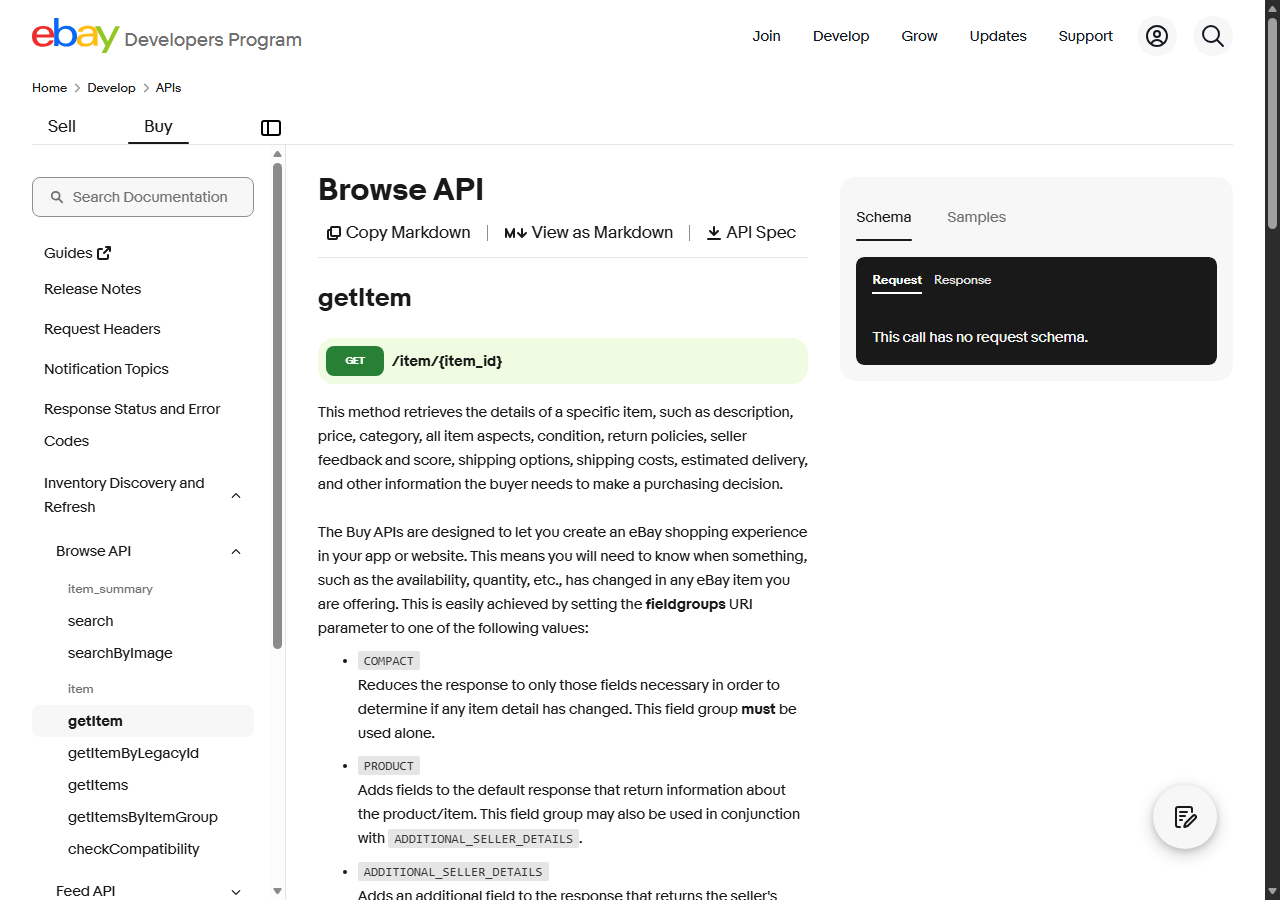
The official Browse API was the best free route, because it is eBay’s own endpoint and returns first-party listing data with no blocking to fight. There is no IP reputation problem here: within the daily call quota it simply works. The ceilings are throughput and access, since you need an approved developer application and the standard limit is about 5,000 calls per day.
What it returns. Native item objects straight from eBay, with description, price, category, item aspects, condition, return policies, seller feedback, and shipping, documented in the getItem reference. Variations come back through the related getItemsByItemGroup method as first-party fields, so the variant data is clean here because it is eBay’s own.
- Free, first-party data with the cleanest fields
- No proxies, anti-bot, or parsing to maintain
- Officially sanctioned access within the program
- About 5,000 calls per day on the standard tier caps throughput
- Needs an approved developer application and OAuth
- Does not expose every field a page render shows
Pricing. Free within the program limits. Higher quotas require an Application Growth Check approval from eBay, and there is no per-record charge. For volumes above the daily cap, a managed API is usually the more practical path.
Best for. Developers within eBay’s program whose volume fits inside the daily quota.
Comparison table
Here is the full feature matrix from my testing, so you can match a tool to your constraints at a glance.
| Feature | ChocoData | Apify | Bright Data | Oxylabs | ScrapingBee | Browse API |
|---|---|---|---|---|---|---|
| Parsed listing JSON out of the box | yes | yes | yes | yes | partial | yes |
| Variant (MSKU) map expanded | yes | varies | partial | yes | manual | yes |
| Condition + item specifics populated | yes | partial | yes | yes | manual | yes |
| No proxy setup needed | yes | yes | yes | yes | yes | yes |
| No developer app / OAuth needed | yes | yes | yes | yes | yes | no |
| Free tier | yes | yes | trial | trial | yes | yes |
| Scales past 5k/day easily | yes | yes | yes | yes | yes | no |
| Price / 1k listings | ~$0.60 | ~$2.00 | ~$1.50 | ~$0.95 | ~$1.10 | free |
| Best for | overall | actors | scale | enterprise | simple | official |
What teams use eBay listing data for
Teams pull eBay listing data mostly for pricing and market work, and the use case decides how much volume you need and therefore which tool fits. The four I see most often:
- Competitive price monitoring: tracking how rivals price the same items over time, including per-variant prices on multi-option listings, usually steady, ongoing collection. I cover the tooling in best eBay price monitoring scrapers.
- Reselling and arbitrage: comparing active listing prices against sold history to spot margin, which leans on both active and sold sales data.
- Catalog and inventory enrichment: filling product records with condition, item specifics, images, and the full variant map pulled from live listings, where field completeness decides everything.
- Market and demand research: measuring how many listings exist for a category and how they are priced, often bursty around a launch or season.
Most of these need clean fields and reliable throughput more than millions-of-records scale, so the right pick is usually the tool that returns complete listing data, variants included, with the least operational overhead, which is the question the final section settles.
How to choose
Choose by volume, by how complete you need the listing record, and by how much of the fetch layer you want to own. If you want to scrape eBay listings as JSON with the variant map intact and no proxy work or developer application, a managed API like ChocoData was the cleanest in my testing. If you want to control the scraping logic, Apify’s actors give you that. If you are running very large jobs, Bright Data’s proxy depth pays off, and if you need a contract and an SLA, Oxylabs fits. If your volume fits inside about 5,000 calls a day and you can get a developer key, the official Browse API is free and returns the cleanest fields, including variations through its item-group method.
Whichever route you take, stay on the right side of eBay’s User Agreement, which got stricter in early 2026, and prefer public listing data over anything behind a login. If you want to build the pipeline yourself first, my step-by-step guide to scraping eBay and the Python walkthrough cover parsing the MSKU variant object by hand, and exporting eBay data to Excel or CSV covers what to do with the listings once you have them. You can start against live listings on ChocoData’s free plan.
FAQ
What is the best tool to scrape eBay listings in 2026?
In my testing the best tool to scrape eBay listings was ChocoData, which returned parsed listing JSON at a 97% success rate on live item pages with the variant data intact and no proxy setup on my side. Apify was the strongest community-actor option and Bright Data was the best fit for very large, ongoing pulls.
How do you scrape eBay product variants?
eBay stores every variation of a multi-option listing inside a large JavaScript object called MSKU, embedded in a script tag in the page HTML. To scrape eBay product variants you parse that hidden JSON, since the visible page shows only the default option, then iterate the variant map for price, stock, and the option labels. A managed eBay listing scraper does this for you and returns the variants as structured JSON. I cover the manual approach in my Python guide.
Is there a free way to scrape eBay listings?
eBay's official Browse API is free, but it caps at about 5,000 calls per day at the application level and is gated behind a developer application. For higher volume or fields the Browse API does not expose, a managed scraper API is the usual path. Most tools in this comparison also offer a small free tier to start.
How much does it cost to scrape eBay listings?
Public pricing in this comparison ran from roughly 0.40 to 3.00 USD per 1,000 listings for managed APIs, depending on the vendor and volume tier. ChocoData's Pro plan works out to about 0.60 USD per 1,000, which sat at the low end of what I measured.
Is it legal to scrape eBay listings?
It depends on what you collect and how. eBay's User Agreement prohibits automated access without permission, and the company updated that language in early 2026 to name scrapers and LLM agents explicitly. Public listing data sits in a contested legal area shaped by cases like hiQ v. LinkedIn. I cover the detail in my guide on whether scraping eBay is legal.